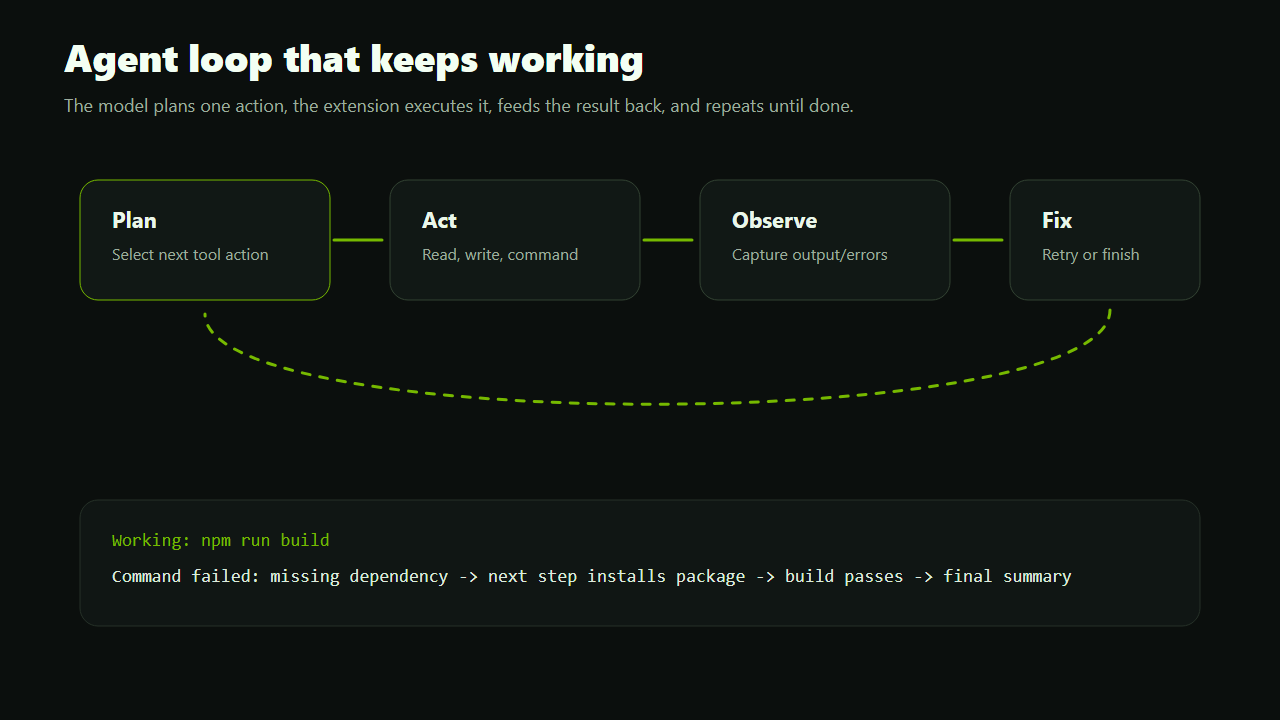
The agent plans an action, executes it, reads the result, and continues instead of stopping at the first error.
Autonomous AI coding for VS Code
Build apps without babysitting the assistant.
NVIDIA Agent brings an agentic coding workflow to VS Code: chat with your project, let the agent edit files, run commands, start previews, inspect errors, and finish with a clean summary.
NVIDIA NIM compatible
Long-context ready
Rollback snapshots
Permission controls
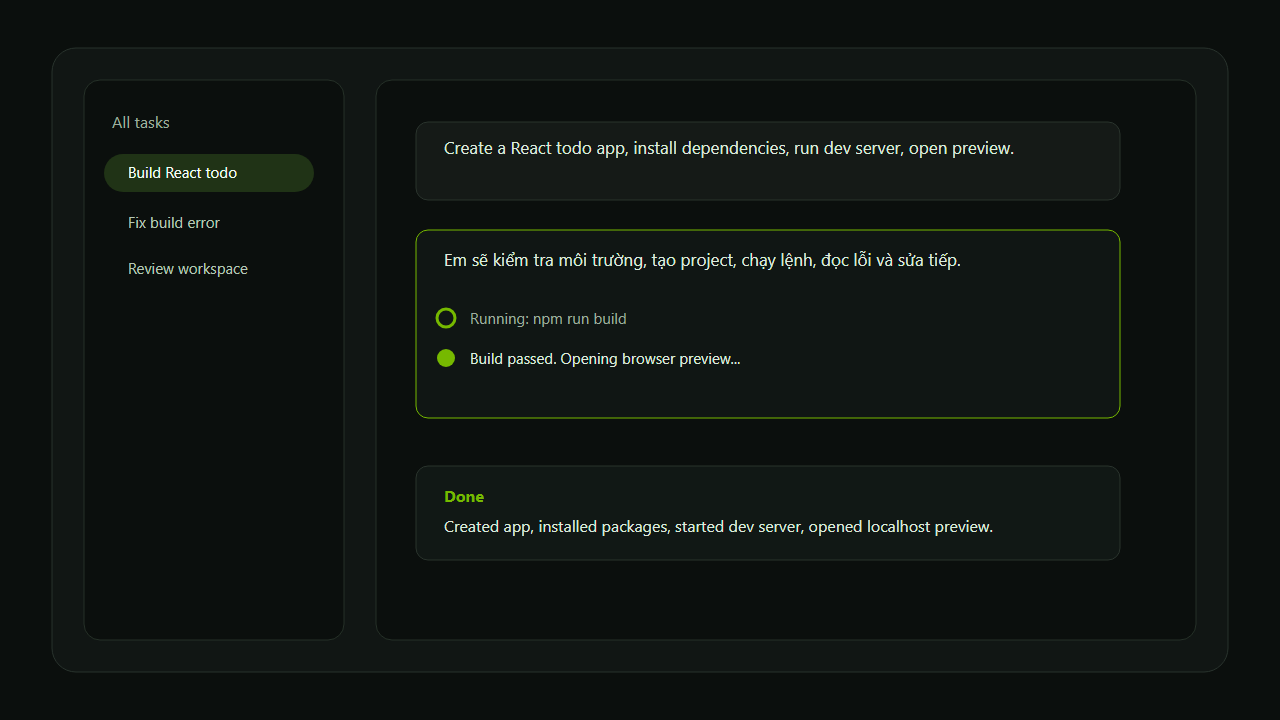
Built for developers who want outcomes
Tell the agent what you want. It can inspect, edit, run, verify, preview, and explain what changed.
Read files, write files, run build/test commands, start dev servers, and open browser previews directly from VS Code.
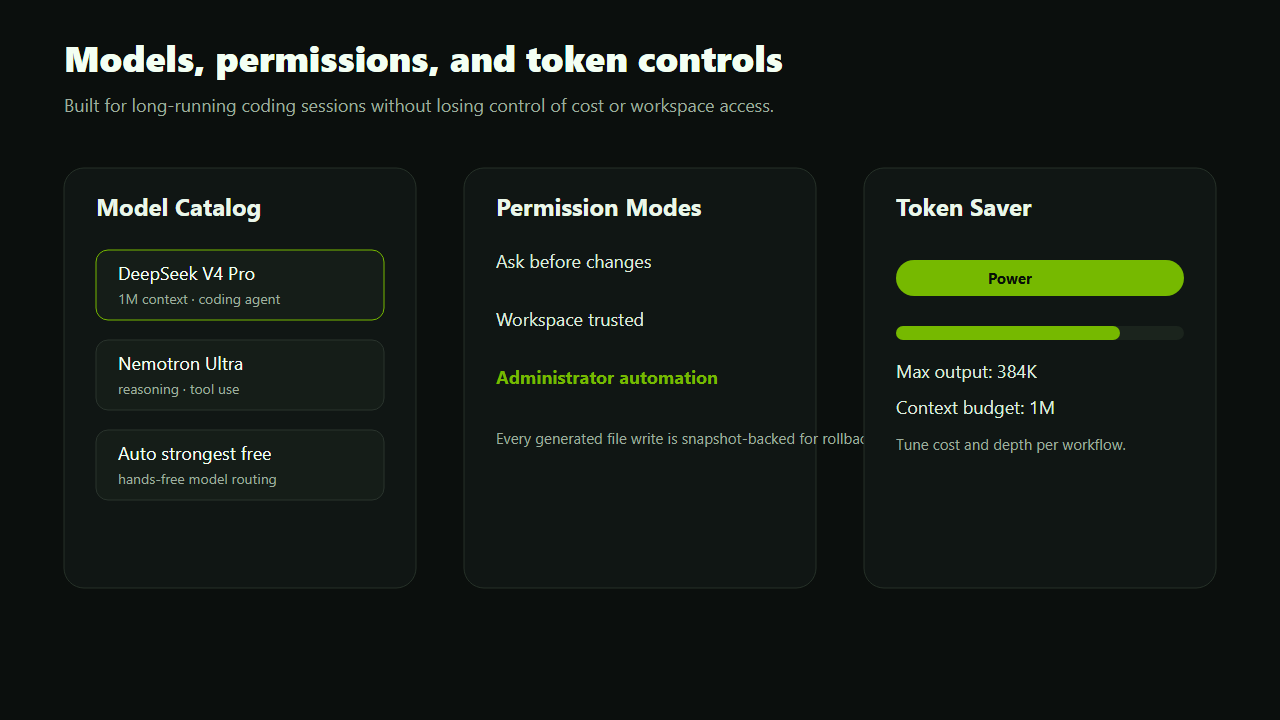
Ask before changes, allow workspace automation, or use trusted mode in repositories you control.
Use NVIDIA-hosted OpenAI-compatible endpoints, refresh live models, or enter any compatible model ID.
Eco, Balanced, and Power modes help tune context depth, history, workspace files, and output budget.
Generated file writes are snapshot-backed so you can restore the previous version when needed.
An agent loop that feels alive
The extension shows animated working state while the agent uses tools behind the scenes.
- 1Plan
Understand the user request and choose the next action. - 2Act
Read files, write code, run commands, start a server, or open preview. - 3Observe
Capture output, errors, and workspace state. - 4Finish
Fix issues, verify results, and summarize what changed.
Everything visible. Nothing mysterious.
Model choice, permissions, token settings, API keys, usage, and task history live in one VS Code interface.
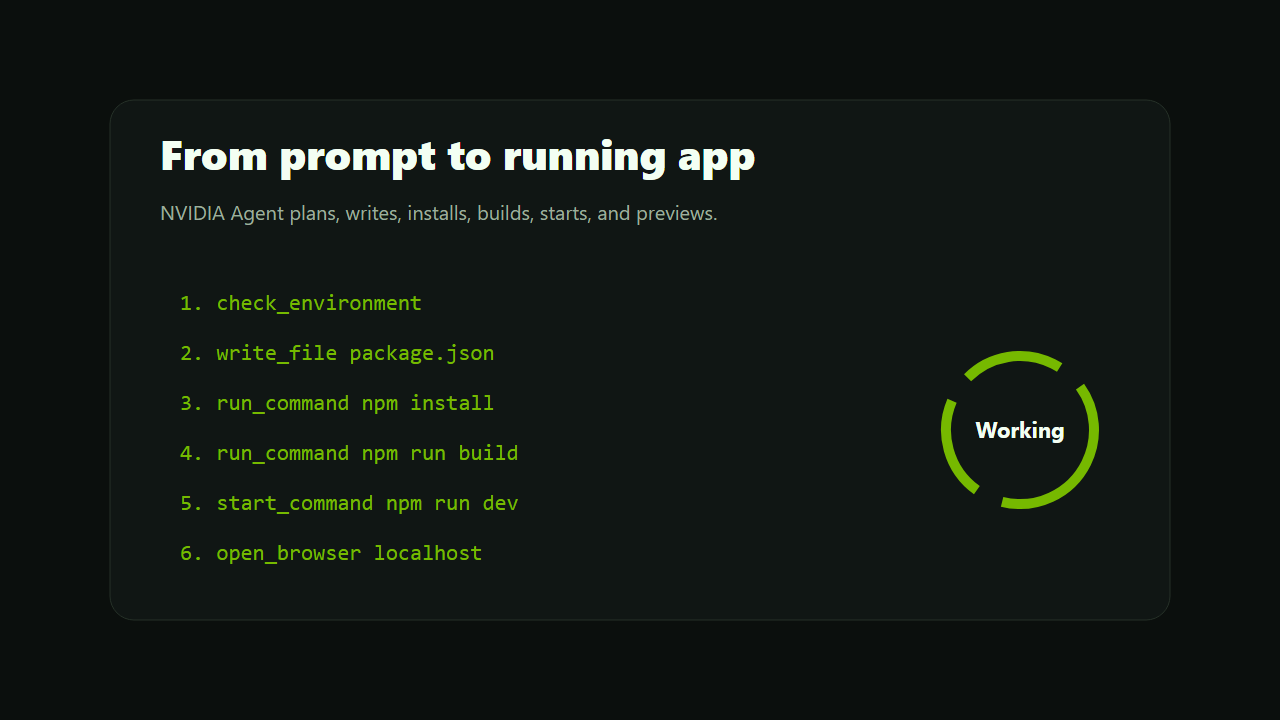
Ask for complete workflows
NVIDIA Agent is most useful when you ask for an outcome, not just a snippet.
Create a React todo app, install dependencies, run the build, start the dev server, and open the browser preview.
Read this workspace, run the build, inspect any errors, fix them, and summarize what changed.

Add dark mode, persist settings in localStorage, verify the build, and keep edits rollback-safe.

Review this project and identify reliability, security, and token-cost risks.
Personal, non-commercial use
NVIDIA Agent is licensed for individual, personal, non-commercial use. Commercial resale, rebranding, redistribution, hosted services, and commercial derivatives require written permission from the copyright holder.
Open Marketplace